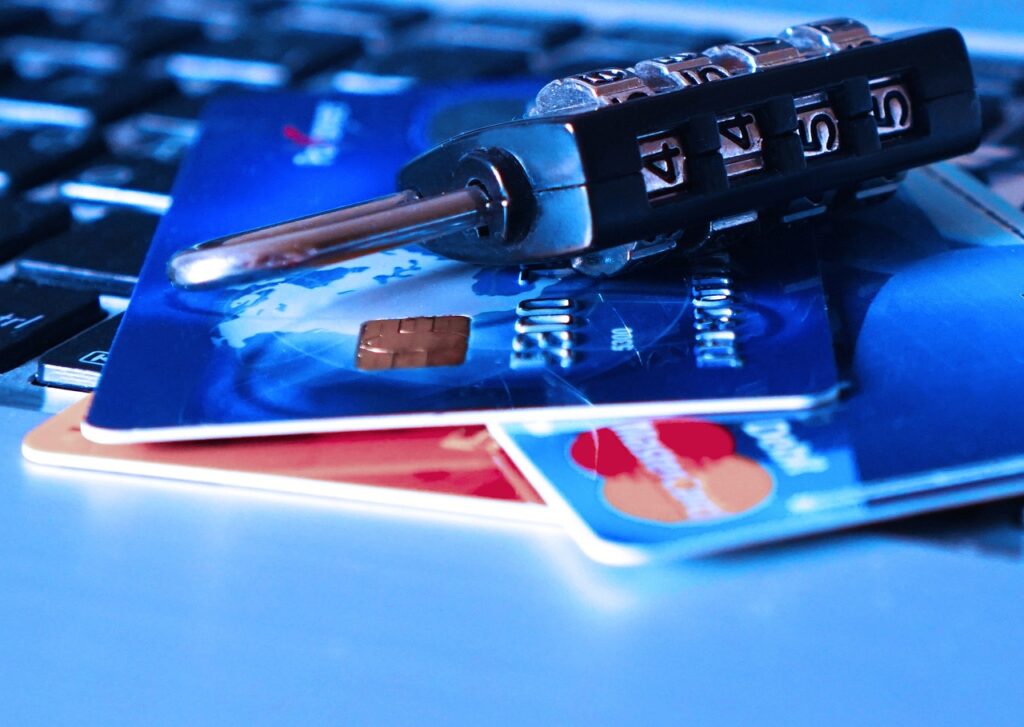

Every 39 seconds, a hacker attack occurs, impacting one in three Americans each year, resulting in billions of dollars in losses – a stark reminder of the importance of robust password security.
This staggering statistic highlights the need for vigilant online security practices, starting with the foundation of digital safety: the password – a sequence of characters (letters, numbers, and symbols) used to authenticate the identity of a user, essentially acting as a digital key.
A well-crafted password, combined with a reliable password manager (a software application designed to securely store, generate, and manage login credentials), can significantly enhance online security, protecting against common threats like phishing (a type of social engineering attack often used to steal user data, including login credentials and credit card numbers) and password cracking (the process of guessing or calculating the password used to access a computer system or network).
The average person has around 100 online accounts that require passwords, making it impractical to memorize unique, complex passwords for each one without the aid of a password manager, which can generate, store, and fill in passwords, streamlining the login process while maintaining high security standards.
Given the complexity of creating and remembering multiple strong passwords, utilizing a password manager is crucial for both personal and professional online security, offering an efficient way to handle the multitude of passwords required in today’s digital age, where data breaches (instances where sensitive, protected, or confidential data is copied, transmitted, viewed, stolen, or used by an unauthorized individual) are increasingly common.
By understanding how password managers work and implementing best practices for password creation and management, individuals can significantly reduce their vulnerability to cyber attacks, ensuring the security of their personal data and financial information.
📝 Table of Contents
A Closer Look at Password Managers
Password managers are designed to make password security easier and more efficient by providing a secure vault (a protected, encrypted space) for storing login credentials, automatically filling in login information on websites and applications, and generating strong, unique passwords for each account, thereby reducing the risk of using weak or duplicated passwords.
One of the key features of password managers is their ability to synchronize (to coordinate or integrate) passwords across multiple devices, ensuring that no matter where you access your accounts from, you have access to your secure, up-to-date password list, which is encrypted (converted into a code to protect it from unauthorized access) to prevent unauthorized viewing.
The use of a master password (a single, highly secure password used to unlock and access all other stored passwords) or biometric authentication (methods of access control that use unique physical characteristics, such as fingerprints or facial recognition, to verify identities) adds an extra layer of security, protecting the password vault from unauthorized access.
| Password Manager | Features | Pricing |
|---|---|---|
| LastPass | Password Generation, Secure Sharing, Emergency Access | Free – $3/month |
| 1Password | Advanced Encryption, Travel Mode, Digital Legacy | $2.99 – $4.99/month |
| Dashlane | Password Changer, Dark Web Monitoring, VPN | Free – $9.99/month |
| KeePass | Highly Customizable, Portable, Open-source | Free |
Leading Password Manager Solutions
1. Introduction to LastPass
LastPass is a comprehensive password manager that offers a wide range of features to enhance online security, including password generation, secure sharing, and emergency access, making it a popular choice for both individuals and businesses looking to protect their digital assets.
With LastPass, users can generate strong, unique passwords for each of their accounts and store them securely in an encrypted vault, accessible with a master password or biometric authentication, providing an additional layer of security against unauthorized access.
LastPass also offers synchronization across multiple devices, ensuring that users have access to their secure password list wherever they go, and its secure sharing feature allows users to share passwords with trusted individuals without having to reveal the actual passwords.
- Easy to use interface, making it accessible to users of all skill levels, particularly those new to password management.
- Robust security features, including two-factor authentication (a method of access control that requires a user to provide two different authentication factors to gain access to a system, network, or application) and encryption, to protect against cyber threats.
- Emergency access feature allows trusted contacts to access accounts in case of an emergency, ensuring continuity and minimizing potential downtime.
Advantages:
2. Exploring 1Password
1Password is another highly regarded password manager that focuses on providing advanced security features to protect user data, including travel mode, which allows users to safely cross borders with sensitive information by removing vaults from devices and restoring them once the user reaches their destination.
1Password also offers digital legacy, a feature that allows users to pass on their password vault to a trusted individual in the event of their passing, ensuring that loved ones can access necessary accounts and information, and its advanced encryption ensures that all data stored within the vault remains secure and protected.
With 1Password, users can enjoy a seamless login experience across all their devices, thanks to its synchronization feature, and its password generator creates strong, unique passwords that meet the highest security standards, further enhancing online security.
- Highly secure with advanced encryption methods, protecting user data from unauthorized access and potential cyber threats.
- Travel mode provides an additional layer of security for users who travel frequently, safeguarding sensitive information.
- Digital legacy feature offers peace of mind, knowing that important accounts and information can be accessed by loved ones when needed, minimizing potential complications.
Advantages:
3. Understanding Dashlane
Dashlane is a password manager that stands out with its extensive list of features designed to simplify online security, including a password changer that can automatically update passwords across multiple sites, saving time and reducing the risk of password-related security breaches.
Dashlane also offers dark web monitoring, which scans the dark web (a part of the internet that isn’t indexed by search engines and requires special software to access, often associated with illegal activities) for leaked personal data, providing users with alerts if their information is found, allowing for prompt action to secure affected accounts.
Additionally, Dashlane includes a VPN (Virtual Private Network, a service that encrypts internet traffic and hides a user’s IP address, providing a secure and private browsing experience), enhancing online privacy and security, especially when using public Wi-Fi networks.
- Automated password changing simplifies the process of maintaining strong, unique passwords across all accounts, reducing the risk of weak passwords.
- Dark web monitoring provides an early warning system for potential identity theft, enabling users to take proactive measures to protect their personal data.
- Integrated VPN offers enhanced online privacy, protecting against snooping and data interception, particularly in public Wi-Fi environments.
Advantages:
4. Introduction to KeePass
KeePass is an open-source password manager that is highly customizable, allowing users to tailor their password management experience to meet their specific needs, and it is free, making it an attractive option for individuals and organizations looking for a cost-effective password management solution.
KeePass stores passwords in an encrypted database, protected by a master password or key file, and it offers a portable version that can be carried on a USB drive, providing flexibility and convenience for users who need access to their passwords on multiple devices.
While KeePass may not offer all the bells and whistles of commercial password managers, its simplicity and customizability make it a favorite among tech-savvy individuals who prefer a more hands-on approach to password management.
- Highly customizable to meet specific user needs, offering flexibility in password management.
- Portable, allowing for easy access to passwords on any device, enhancing convenience and flexibility.
- Free and open-source, making it accessible to everyone without incurring additional costs.
Advantages:
5. Implementing Best Practices with Password Managers
Implementing best practices when using a password manager is crucial for maximizing online security, starting with the creation of a strong, unique master password that unlocks the password vault, and ensuring that all other passwords stored within the vault are also strong and unique.
Regularly updating passwords, especially for critical accounts, and enabling two-factor authentication wherever possible adds an extra layer of security, protecting against various types of cyber attacks and threats.
Understanding the features of the chosen password manager and utilizing them effectively, such as secure sharing and password generation, can further enhance online security and streamline password management, making it easier to maintain robust security measures.
- Enhanced security through strong, unique passwords and two-factor authentication, significantly reducing the risk of unauthorized access.
- Streamlined password management, making it easier to maintain and update passwords across all accounts, reducing the likelihood of password-related security breaches.
- Improved online experience through automatic form filling and secure access to accounts, enhancing convenience and efficiency.
Advantages:
How This Affects Everyday Life
✔ Simplified Password Management
The use of a password manager simplifies the process of managing multiple passwords, reducing the hassle of remembering complex passwords for each account and minimizing the risk of using weak or duplicated passwords, which can lead to security breaches.
With a password manager, users can easily generate, store, and fill in strong, unique passwords for each of their accounts, making it easier to maintain high security standards across all online activities, from browsing and shopping to banking and social media.
✔ Enhanced Online Security
Password managers significantly enhance online security by protecting against common threats such as phishing and password cracking, and by providing features like two-factor authentication and encryption, they offer an additional layer of security for sensitive information.
This enhanced security not only protects personal data but also financial information, reducing the risk of identity theft and financial fraud, and providing peace of mind when engaging in online transactions.
✔ Reduced Risk of Data Breaches
By using strong, unique passwords for each account and storing them securely in a password vault, the risk of data breaches is significantly reduced, as weak passwords are a common entry point for hackers seeking to exploit vulnerabilities in digital systems.
Furthermore, features like dark web monitoring and alerts for password leaks help users stay ahead of potential threats, enabling prompt action to secure affected accounts and minimize the impact of a breach.
✔ Improved Productivity
Password managers can also improve productivity by automating the login process across multiple sites and applications, saving time and reducing frustration associated with forgotten passwords or complex login procedures.
This streamlined access to accounts and information enables users to focus on their tasks and activities without interruptions, enhancing overall efficiency and productivity in both personal and professional contexts.
✔ Better Organization
The secure storage of login credentials, notes, and other sensitive information in a password manager helps in keeping digital life organized, making it easier to find and manage important data, and reducing clutter and disorganization that can lead to security vulnerabilities.
Moreover, features like secure sharing and password inheritance provide a structured approach to managing access to accounts and information, ensuring continuity and minimizing potential disruptions.
✔ Enhanced Privacy
Some password managers offer integrated VPN services, enhancing online privacy by encrypting internet traffic and hiding IP addresses, protecting against snooping and data interception, especially in public Wi-Fi environments.
This level of privacy protection is essential for safeguarding personal data and maintaining confidentiality when browsing the internet or accessing sensitive information online, and it provides an additional layer of security against potential threats.
Upcoming Trends
- Advanced Biometric Authentication
- Artificial Intelligence in Password Management
- Quantum-Resistant Encryption
- Increased Focus on User Experience
- Extension of Password Management to IoT Devices
The future of password management may see a shift towards more advanced biometric authentication methods, such as facial recognition, fingerprint scanning, or even DNA analysis, offering higher security standards and more convenient access to accounts.
This could potentially replace traditional passwords, providing a more secure and user-friendly experience, and reducing the risk of password-related security breaches.
The integration of artificial intelligence (AI) in password managers could lead to more sophisticated password generation, intelligent password updating, and predictive security measures, further enhancing online security and streamlining password management.
AI could analyze user behavior and adapt password management strategies accordingly, providing a more personalized and effective approach to security, and minimizing the risk of human error.
With the emergence of quantum computing, there is a growing need for quantum-resistant encryption methods that can protect against the advanced computing power of quantum computers, which could potentially break current encryption standards.
Password managers will need to adopt these new encryption methods to ensure the continued security of stored passwords and sensitive information, protecting against potential future threats.
Future password managers will likely prioritize user experience, aiming to make password management as seamless and intuitive as possible, reducing the complexity and frustration often associated with managing multiple passwords.
This could involve more automated features, streamlined interfaces, and personalized security recommendations, making it easier for users to maintain high security standards without compromising convenience.
As the Internet of Things (IoT) continues to grow, with more devices becoming connected to the internet, there will be a need for password managers to extend their services to these devices, securing the passwords and access credentials for smart home devices, cars, and other connected technologies.
This expansion will require password managers to adapt to new types of devices and authentication methods, ensuring that the security of IoT devices is not compromised by weak passwords or inadequate security measures.
| Year | Number of Cyber Attacks | Data Breach Victims |
|---|---|---|
| 2020 | 1,000,000 | 150,000,000 |
| 2021 | 1,200,000 | 200,000,000 |
| 2022 | 1,500,000 | 250,000,000 |
| 2023 | 1,800,000 | 300,000,000 |
To Sum Up
Password managers are indispensable tools in the fight against cyber threats, offering a secure, efficient, and streamlined way to manage passwords and protect sensitive information, and by understanding how they work and implementing best practices, individuals can significantly enhance their online security and peace of mind.
The future of password management is likely to see advancements in biometric authentication, AI integration, and quantum-resistant encryption, further strengthening the security of digital lives, and as technology evolves, the role of password managers will continue to adapt, providing innovative solutions to emerging security challenges.
Whether for personal or professional use, password managers are a critical component of a robust online security strategy, and their importance will only continue to grow as the online space expands and becomes more complex, underscoring the need for vigilant and proactive approaches to password management and online security